
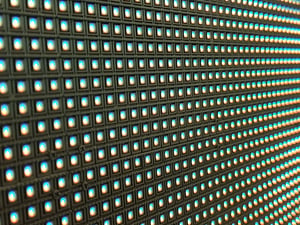
It's the most common mistake we see in virtual production builds. Someone gets excited about LED panels, pressured by timescales of manufacturing and delivery, signs the PO, and only then starts thinking about the render engine. Six months later they're fighting their own stage.
The panels are the most visible part of a volume, but they aren't the foundation.
Your render pipeline is.
Here's why the order matters:
Pixel count drives GPU count.
A finer pixel pitch looks great on paper (and in person), but you have to render every extra pixel in real time. Choose panels before you know what your engine and hardware can drive at your target frame rate, and you may need twice as many render nodes as you budgeted for.
You want it to look great through the camera, not by eye, so test it with your cameras and render workflow before committing.
Sync isn't optional.
Your engine, processors, tracking, and camera all have to lock together. Genlock support, refresh rates, and multi-slice features (like Frame Remapping or Ghostframe workflows) affect the whole chain, not just the panel and processor spec sheet.
Color lives in the pipeline.
Bit depth, color space, and HDR handling must hold up from engine to processor to panel. A weak link anywhere shows up on camera as banding, color shifts, or matching headaches. Testing early on with your real-time rendering pipeline will help you avoid errors later on.
Your content dictates your performance budget.
Photoreal environments, video, 2.5D plates, and real-time all need very different horsepower. The work you'll actually shoot should shape the render engine choice, and the render engine should shape the wall. Panels are the hardest thing to undo. Software can be updated, and GPUs can be swapped. A wall with the wrong panels, whether in pixel pitch, size, or shape, is a budget commitment you live with for years.
The right LED processor for your system.
Choosing the right processor for the wall AND your real-time video signal path is crucial to avoid adding extra hardware to your workflow. Your render hardware's physical connectivity matters to avoid signal-processing complications.
The better order:
Define the content and shooting workflows
Select the render engine and pipeline
Spec the render hardware
Then choose panels and processors that fit the system together.
An LED volume is a system, not a screen. Design it that way from day one.
To help avoid the types of problems you're likely to encounter, Pixotope offers complimentary Virtual Production consultancy.
We're here to help, and we can introduce you to knowledgeable, helpful people who can help guide your virtual journey.
COMMENTS